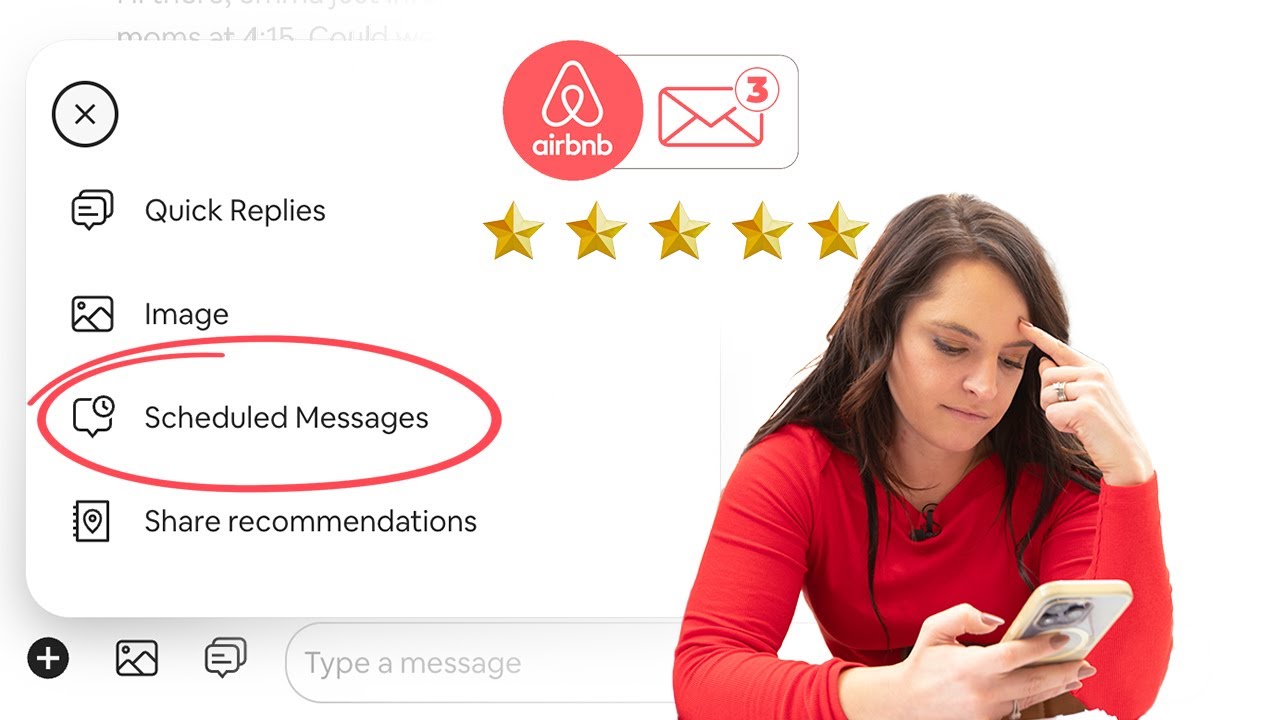
The difference between a stressful hosting business and a scalable one often comes down to communication. Learning how to automate Airbnb messages lets hosts deliver fast, consistent, professional responses without staying glued to their phone every hour of the day.
Guests expect immediate answers, clear instructions, and proactive updates. Whether someone books a mountain cabin in Colorado or a beach condo in Florida, the standard is the same: seamless communication from inquiry to checkout. Automation is what makes that realistically possible.
Quick Answer
Airbnb hosts can automate messages using the platform’s built-in scheduled messaging and auto-reply features, or through a third-party tool for more advanced workflows. The essentials to automate first are the booking confirmation, pre-arrival details, check-in instructions, a mid-stay check-in, the checkout reminder, and the post-stay review request. Personalization (guest name, dates, property details) and quick human follow-up on actual questions keep automated messaging from feeling robotic.
This guide covers how to automate messages on Airbnb, which messages should never be written from scratch, the best workflows for vacation rental guest communication, and how experienced hosts build systems that save time while actually improving guest satisfaction.

Why Automated Messaging Matters for Airbnb Hosts
Manual messaging works fine when you manage one listing with a handful of bookings a month. Once reservations pick up, the repetitive parts start eating real time — booking confirmations, check-in instructions, Wi-Fi details, house rules reminders, mid-stay check-ins, checkout procedures, and review requests all get written over and over, and writing each one from scratch just increases the odds of a mistake somewhere.
Automation gives you consistency while freeing up time for pricing, maintenance, guest experience, and actually growing the business — the same shift covered more broadly in our guide to the best short-term rental software.
Faster Response Times Improve Guest Confidence
Guests often size up a host’s professionalism within the first couple of interactions. A quick response signals reliability, organization, and attention to detail — and even when a message is automated, guests generally appreciate getting useful information right away rather than waiting hours for a reply.
Standardized Communication Reduces Operational Errors
A forgotten parking instruction or a missing door code creates an avoidable problem every single time it happens. Automated workflows make sure every guest gets the same information, at the right moment, through a repeatable process — and that consistency matters more the bigger the portfolio gets.
Understanding Airbnb’s Built-In Messaging Features
Before spending money on a third-party tool, it’s worth knowing what Airbnb already offers.
Airbnb auto reply setup lets hosts create instant responses for common inquiries — availability questions, check-in time requests, pet policy explanations, parking info, and minimum stay requirements. Auto replies take the pressure off instant responses while still acknowledging the guest immediately.
Scheduled messages trigger off reservation events — booking confirmations, pre-arrival instructions, check-in reminders, checkout procedures. Timed correctly, these alone create a noticeably smoother guest experience without any third-party software.
Message variables and personalization automatically insert the guest’s first name, check-in date, check-out date, and listing address. Personalization is what stops automation from feeling robotic — “Hi Sarah, we’re excited to host you this Friday!” reads completely differently than a generic template with no name attached.
How to Automate Messages on Airbnb Step by Step
Hosts figuring out how to automate messages on Airbnb should design the entire communication journey at once, rather than building isolated templates one at a time.
Step 1: Map the guest experience. List every interaction from inquiry to review request — inquiry response, booking confirmation, pre-arrival welcome, check-in instructions, first-night follow-up, mid-stay support, checkout reminder, review request. Each stage is a separate automation opportunity.
Step 2: Identify repetitive questions by reviewing past conversations. Where should we park? Is early check-in available? What’s the Wi-Fi password? Are pets allowed? How do we get in? Can we extend our stay? These recurring questions deserve a standardized answer built in advance, not typed fresh every time.
Step 3: Build timing around guest needs. Good automation feels proactive, not reactive — a confirmation immediately after booking, welcome details three days out, access instructions 24 hours before arrival, a satisfaction check the morning after check-in, a checkout reminder the evening before departure, and a review request one day after checkout. Getting this timing right prevents confusion and cuts down on incoming support requests considerably.
Step 4: Test every workflow yourself. Verify dynamic fields populate correctly, door codes display accurately, dates match the actual reservation, trigger timing works as expected, and every link actually functions. One broken automated message can frustrate dozens of guests before anyone notices.
Essential Airbnb Automated Messaging Templates Every Host Should Have
Strong airbnb automated messaging templates balance professionalism with real warmth. The goal was never to sound automated — it’s to sound consistently helpful.
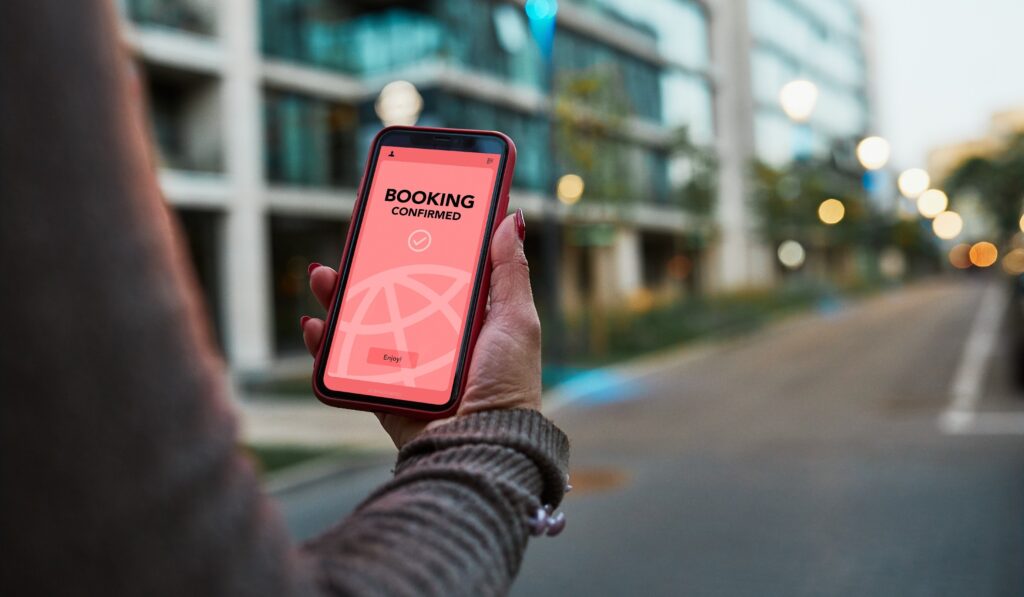
Booking confirmation should express gratitude, genuine excitement about hosting them, a note that more details will follow, and instructions for reaching you with questions. Keep it short — too much information right after booking overwhelms guests before they even need it.
Pre-arrival message, sent two or three days out, can cover parking instructions, local weather considerations, house access procedures, grocery recommendations, and check-in timing. For U.S. vacation homes specifically, local recommendations here noticeably enhance the experience — the same detail that matters in a strong Airbnb listing description.
Check-in instructions might be the single most important automated message you send — property address, entry codes, parking directions, Wi-Fi credentials, emergency contact info, and quick house reminders. Clarity matters far more than creativity here.
Mid-stay follow-up — a simple “need anything?” message — does two things at once: it boosts satisfaction, and it surfaces problems before they turn into a bad review. Many experienced hosts automate this for the morning after arrival specifically.
Checkout reminder should cover checkout time, trash procedures, locking instructions, thermostat settings, and forgotten-item guidance. Guests genuinely appreciate clear expectations here, and it reduces cleaning delays on your end too — the exact handoff covered in our Airbnb cleaning checklist template.
Creating Better Vacation Rental Guest Communication Systems
Excellent vacation rental guest communication goes beyond automation alone — the best operators combine systems with genuine hospitality rather than choosing one over the other.
Automate information, not relationships. Guests don’t expect a long personal conversation — they expect responsiveness. Automate logistics, instructions, timelines, and FAQs. Handle special occasions, complaints, unique requests, and emergencies personally, since human judgment still matters most exactly where it’s needed.
Match communication to guest types. Business travelers value efficiency above all. Families often want kid-friendly recommendations, parking details, grocery options, and flexible check-in conversations. Weekend travelers lean toward restaurants, entertainment, and local events. Automation can build different messaging paths for each guest profile rather than one generic script for everyone.
Avoid over-messaging. More notifications don’t automatically create a better experience — too many pings annoy guests fast. Most successful hosts limit automated communication to genuinely useful updates. Quality beats quantity here every time.
Tools That Make Airbnb Messaging Automation Easier
As operations grow, plenty of hosts move past Airbnb’s built-in features toward something more robust.
Property management systems centralize guest messaging, calendar sync, cleaning coordination, team notifications, and multi-platform bookings — especially valuable for co-hosts and professional managers running multiple listings, a comparison covered in depth in our review of Hospitable, which was built specifically around messaging automation.
Dynamic guidebooks cut down repetitive questions by giving guests self-service access to Wi-Fi info, appliance instructions, restaurant recommendations, emergency contacts, and local attractions — integrating a guidebook into the automated workflow noticeably improves guest self-service.
Smart lock integration eliminates manual key exchanges entirely, generating unique codes, time-based access permissions, and security notifications automatically — reducing operational friction considerably, especially for hosts managing check-ins remotely.
Template libraries — seasonal messages, holiday instructions, weather advisories, emergency procedures, property-specific information — save real time once you’re managing several properties and don’t want to rebuild messaging from scratch for each one.
Common Automation Mistakes Airbnb Hosts Should Avoid
Sending generic messages that guests immediately recognize as copy-paste. First names, reservation dates, property references, and personalized recommendations all matter more than they seem like they should.
Forgetting seasonal updates. Instructions that work in summer often don’t apply in winter — snow removal procedures, pool information, heating recommendations, and hurricane preparedness details all need a seasonal review rather than sitting untouched year-round.
Ignoring guest responses. Automation should never replace active monitoring — guests may reply with real questions, concerns, or special requests, and a quick human follow-up remains essential even in a fully automated system.
Overcomplicating workflows. Some hosts build dozens of automated triggers that nobody, including the host, fully remembers anymore. Simplicity usually wins — a streamlined system tends to outperform an elaborate one that’s too complex to maintain.
A Practical Messaging Workflow for One Airbnb Property
Hosts wanting a straightforward starting system can build this: instant booking confirmation, a welcome message three days before arrival, check-in instructions 24 hours before check-in, a satisfaction message on the first morning, a checkout reminder the evening before departure, and a review request one day after checkout.
This covers the full guest journey without overwhelming anyone — and once it’s refined for one property, the same structure scales cleanly across multiple listings without needing to be rebuilt from zero.
Frequently Asked Questions
Can Airbnb automatically send messages to guests?
Yes. Airbnb offers scheduled messaging and auto-reply features that let hosts send messages based on reservation events and common guest inquiries.
How do I create an Airbnb auto reply setup?
Within your hosting dashboard, you can configure quick responses and automated messages tied to booking confirmations, check-ins, and other guest actions. Airbnb’s own Help Center article on automated messages walks through the current setup process directly.
What messages should every host automate?
The essentials include booking confirmations, pre-arrival instructions, check-in details, checkout reminders, and post-stay review requests.
Are automated messages bad for guest experience?
Not when they’re implemented thoughtfully. Guests generally appreciate prompt, informative communication — personalization and timely human responses still matter for anything genuinely unique.
Do I need third-party software to automate Airbnb messages?
Not necessarily. Single-property hosts often manage well with Airbnb’s built-in tools. Larger operations tend to benefit from a full property management platform with more advanced automation, a decision covered in what to look for in vacation rental software.
Building a Communication System That Scales With Your Business
Learning how to automate Airbnb messages was never about pulling human interaction out of hosting entirely. The point is freeing up the hours that used to disappear into repetitive typing, so that time actually goes toward the guests and situations that need a real person paying attention.
The strongest systems blend automation with genuine hospitality — guests get immediate information and consistent support, while hosts get real hours back each week that used to vanish into routine messaging. Start with a few essential workflows, refine the templates as you learn what guests actually ask, and expand the system as the portfolio grows. Done well, this doesn’t just save time — it shows up directly in smoother stays, stronger reviews, and a business that’s actually sustainable to run long-term rather than something that burns you out by year two.


Leave a Reply