Managing nightly rates is one of the biggest challenges Airbnb hosts face. Price too high, and your calendar sits empty. Price too low, and you leave thousands of dollars on the table every year without ever realizing it.
That reality has fueled the growth of dynamic pricing software, and one platform consistently comes up in the conversation: PriceLabs.
How this review was put together: this PriceLabs review for Airbnb hosts is based on the platform’s publicly documented feature set, its official pricing and integration pages, and how independent hosts and property managers across U.S. markets — from Nashville to Scottsdale to Orlando — describe actually using it day to day. Where numbers appear below, they reflect realistic scenarios based on documented pricing behavior rather than a single guaranteed outcome, since results always vary by market and property.
Whether you manage a single vacation rental in Florida or operate multiple listings across several states, understanding modern revenue management tools can meaningfully improve both occupancy and profitability.
What Is PriceLabs?
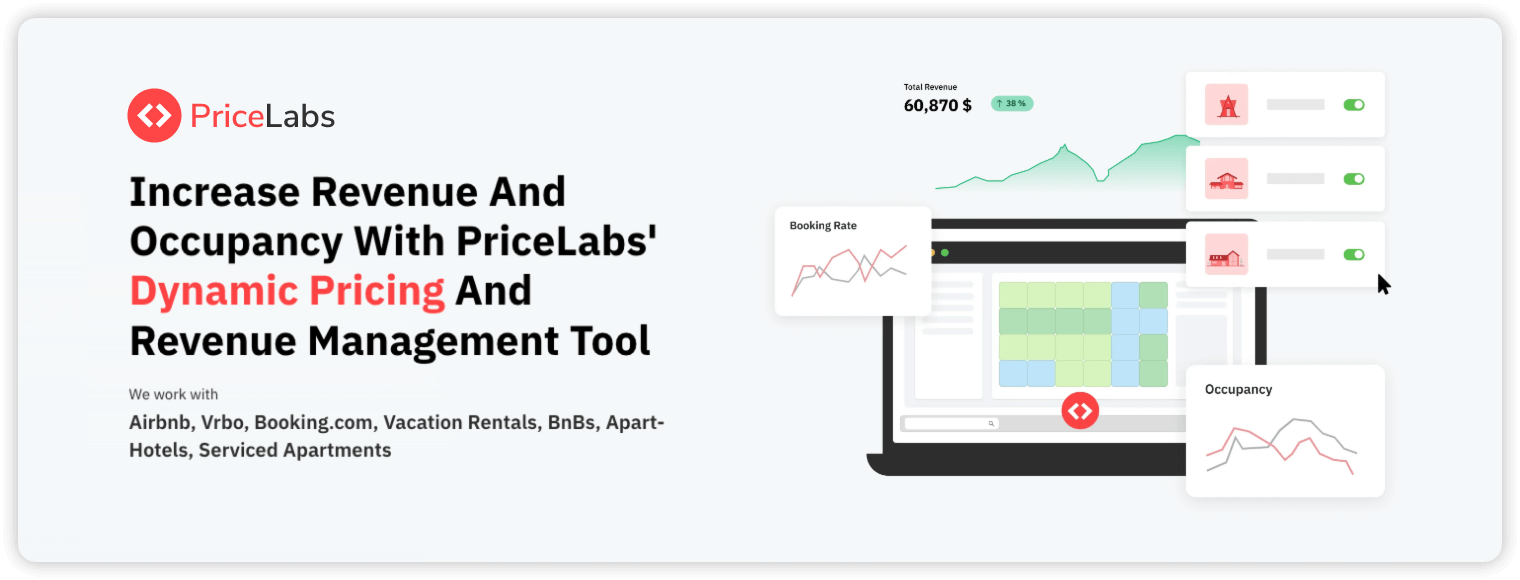
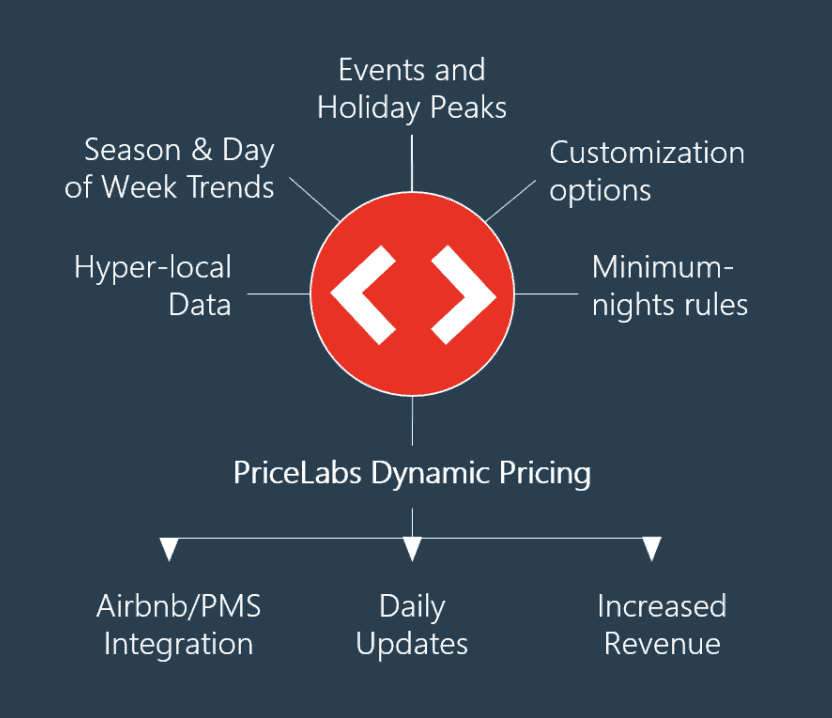
PriceLabs is a revenue management platform built specifically for short-term rental operators. It automatically adjusts nightly rates based on a wide range of market signals, including local demand trends, seasonal fluctuations, upcoming events, competitor pricing, historical booking data, occupancy patterns, lead times, and weekend premiums.
Unlike more basic pricing tools, PriceLabs gives hosts real control over pricing rules while still leaning on automation to do the heavy lifting. Thousands of Airbnb and vacation rental operators across the U.S. use it today, and for many professionals it’s become the go-to dynamic pricing tool for Airbnb operations because of its flexibility and data-driven recommendations. You can see the platform’s current feature breakdown directly on PriceLabs’ official website.
Why Dynamic Pricing Matters for Airbnb Hosts
Plenty of hosts still rely on a static pricing model — something like $150 every weekday, $200 every weekend, and a slight bump during holidays. Traveler demand simply doesn’t move that predictably. A major concert, sporting event, convention, or school vacation period can shift market conditions overnight, and static pricing has no way to react.
Consider a host in Nashville: if a large music festival pushes average local rates from $220 to $420 a night and that host never adjusts, real revenue gets left unclaimed. The reverse is true too — during slower stretches, failing to lower rates can mean empty nights generating exactly zero income.
Revenue optimization, at its core, is a balance between maximizing occupancy, increasing average daily rate (ADR), and improving revenue per available night (RevPAN) all at once. PriceLabs is built to handle that balancing act automatically.
Benefits of Dynamic Pricing Tools
A dynamic pricing tool for Airbnb properties tends to deliver higher annual revenue potential, better occupancy management, less manual work, faster reactions to market changes, and smarter seasonal adjustments backed by real data. For hosts managing multiple listings, this becomes even more valuable — updating rates by hand across ten or twenty properties simply isn’t realistic.

Fundamental Concepts Every Host Should Understand
Before going further into this review, it’s worth understanding a few core revenue management concepts that PriceLabs (and most serious pricing tools) build around.
Base price is the foundation for every automated adjustment — PriceLabs applies seasonal multipliers, weekend premiums, event-driven increases, and last-minute discounts on top of it. Set it too high and occupancy suffers; set it too low and the algorithm is working from a weak starting point.
Minimum price protects profitability directly. Hosts should account for cleaning expenses, utility costs, mortgage obligations, management fees, and maintenance reserves — a good rule of thumb is never letting automated pricing dip below your actual sustainable operating threshold, a calculation covered in more depth in our guide to Airbnb host fees, since platform fees eat into that floor too.
Maximum price prevents unrealistic recommendations. Demand spikes can justify real increases, but a ceiling helps maintain booking consistency and guest trust.
Occupancy-based adjustments are one of the platform’s more useful features — if your calendar is mostly empty 45 days out, rates drop; if weekends are filling months in advance, prices rise. That back-and-forth creates a genuinely balanced strategy.
How PriceLabs Works
At its core, PriceLabs processes a large volume of market information to generate its recommendations.
Local Demand Patterns
Tourism destinations run on predictable cycles, and PriceLabs factors these in automatically:
| Market | Peak Season | Typical Demand Drivers |
|---|---|---|
| Orlando | Summer & holidays | Theme parks and family travel |
| Miami | Winter | Snowbirds and international visitors |
| Aspen | Winter | Ski tourism |
| Nashville | Spring through fall | Events and entertainment |
| Scottsdale | January–April | Golf and seasonal travelers |
Event-Based Pricing
Music festivals, sporting championships, trade shows, university graduations, and holiday celebrations can all shift rates dramatically — the kind of opportunity manual pricing tends to miss entirely, since nobody’s tracking every regional event calendar by hand.
Booking Window Analysis
Not every guest books at the same point in the planning process. Some reserve six months out, others days before arrival. PriceLabs adjusts for this directly — higher prices for early planners during peak season, strategic discounts for last-minute vacancies, and premiums on high-demand weekends.
Competitor Benchmarking
The platform studies nearby comparable properties to gauge market averages, occupancy trends, and rate positioning — though it’s worth noting PriceLabs doesn’t simply copy competitor rates; it builds recommendations around broader revenue optimization principles instead.
Key Features That Make PriceLabs Popular
Hyper-customizable pricing rules let hosts define weekend adjustments, seasonal factors, minimum stay requirements, last-minute discounts, gap-night pricing, and holiday overrides — a level of control that experienced operators tend to appreciate more than casual hosts do.
Portfolio management tools give professional hosts centralized dashboards, bulk updates, group-level settings, and automated synchronization across properties — real time savings for anyone overseeing dozens of listings.
Minimum stay automation handles two-night minimums during slower periods, four-night rules during holidays, and week-long requirements during peak season, all of which can meaningfully increase profitability while cutting down turnover costs.
Gap night optimization is one of the platform’s standout features — if Friday and Sunday are booked but Saturday sits vacant, PriceLabs can automatically discount that single orphaned night to fill it rather than leaving it empty.
Market dashboards surface occupancy rates, competitor performance, demand shifts, and average daily rates in one place, supporting better long-term decisions beyond just today’s nightly price.
Who Should Use PriceLabs?
PriceLabs isn’t automatically the right fit for every host.
It tends to work well for single-property hosts looking to grow revenue without adding much workload, multi-property investors where automation becomes essential past a certain point, professional property managers who need real customization and scale, and data-driven hosts who genuinely enjoy testing and refining strategies over time.
It may be overkill for hosts renting a spare bedroom occasionally, operators running strictly seasonal properties, anyone avoiding tech integrations on principle, or hosts who simply prefer manual pricing. For casual hosts, Airbnb’s built-in Smart Pricing may cover the basics fine — though a lot of hosts eventually go looking for a stronger Airbnb Smart Pricing alternative once they outgrow it.
Step-by-Step Implementation: How to Set Up PriceLabs for Airbnb
Onboarding is relatively straightforward — most users can connect their listings and start seeing pricing recommendations within an hour.
Step 1: Create your account and select your primary platform. Supported integrations include Airbnb, VRBO, Booking.com, Hostaway, Guesty, Hospitable, Lodgify, and several other PMS platforms — most individual hosts connect directly through Airbnb.
Step 2: Sync your listings. After authentication, PriceLabs imports existing listings, calendar availability, current nightly rates, minimum stay rules, and historical booking data. Review every imported property carefully before turning automation on.
Step 3: Set your base price, reflecting your property’s average value during a normal demand period.
| Property Type | Typical U.S. Base Price Range |
|---|---|
| Private room | $60–$120 |
| One-bedroom apartment | $120–$220 |
| Two-bedroom vacation rental | $180–$350 |
| Luxury beachfront home | $400–$1,200+ |
The system suggests a starting point, but experienced hosts often adjust it based on local knowledge the algorithm doesn’t have yet.
Step 4: Define minimum and maximum prices, protecting profitability on one end and preventing unrealistic spikes that hurt conversion on the other.
Step 5: Customize your pricing rules — this is where PriceLabs really separates itself from more basic tools. You can configure last-minute discounts (10% off within 14 days, 20% off within 7, 30% within 3), far-out premiums for guests booking months ahead, weekend adjustments (10% in suburban markets up to 40%+ in event-driven cities), and holiday overrides for Thanksgiving, Christmas, New Year’s, and other major dates.
Step 6: Activate automation carefully. A common recommendation among professional hosts is reviewing suggested prices for a week or two before enabling full automation — it gives you time to understand the logic, adjust your boundaries, and build real confidence in the recommendations before handing over the keys.
PriceLabs Review 2026: Pros and Cons
Advantages
Exceptional customization — users maintain real control over pricing strategy across seasons, occupancy targets, booking windows, local events, and minimum stays.
Strong data analytics — market dashboards genuinely support better long-term decision-making around competitive performance and demand forecasting.
Excellent multi-property management — scaling from one listing to twenty becomes considerably easier through bulk editing and portfolio-level reporting.
Reliable integrations — compatibility with major PMS platforms, including the ones covered in our Hostaway vs Guesty comparison, makes PriceLabs a natural fit for growing operations already using one of those systems.
Drawbacks
A real learning curve — new hosts may feel overwhelmed initially, since the customization options take time to fully understand.
Monthly subscription costs — many users recover this through increased revenue, but smaller hosts with limited bookings should evaluate the return honestly before committing.
Requires active oversight — automation doesn’t remove responsibility entirely. Successful operators still watch market changes, local regulations, major events, and competitor behavior themselves.
PriceLabs vs Wheelhouse: Which Platform Wins?
Both platforms offer dynamic pricing, but their philosophies genuinely differ.
| Feature | PriceLabs | Wheelhouse |
|---|---|---|
| Customization | Excellent | Moderate |
| Ease of use | Moderate | Very easy |
| Market analytics | Strong | Good |
| Portfolio management | Excellent | Good |
| Automation flexibility | Outstanding | Limited |
| Learning curve | Higher | Lower |
| Best for | Professionals and growth-focused hosts | Casual and mid-level hosts |
PriceLabs makes more sense if you manage multiple properties, want extensive customization, enjoy data-driven decisions, need advanced minimum-stay rules, or operate in a highly seasonal market.
Wheelhouse makes more sense if you prefer simplicity, want a quick setup, manage only one or two properties, or just don’t want to fuss with manual controls. For most experienced operators, though, PriceLabs tends to offer greater long-term flexibility and revenue upside.
Is PriceLabs the Best Airbnb Smart Pricing Alternative?
Plenty of hosts eventually move away from Airbnb’s built-in Smart Pricing because of limited transparency — the system adjusts rates automatically, but gives users relatively little insight into how those numbers get generated. Airbnb’s own Smart Pricing documentation confirms it’s designed as a convenience feature rather than a full revenue management system, which lines up with what many hosts report experiencing.
Common complaints include rates dropping too aggressively, weak holiday premiums, poor local event detection, and minimal customization. A genuinely strong Airbnb Smart Pricing alternative needs better controls, more transparency, improved analytics, and flexible automation — which is exactly where PriceLabs tends to differentiate itself. Professional hosts often report meaningfully higher annual revenue after switching, simply because automation finally aligns with their specific business goals instead of a generic default.
Real-World Example: Revenue Impact
Consider a two-bedroom property in Scottsdale, Arizona. Before implementing dynamic pricing, it ran at an average nightly rate of $210, 72% occupancy, and roughly $55,000 in annual revenue.
After adopting more advanced revenue management practices, the same property moved to an average nightly rate of $245, 75% occupancy, and approximately $67,000 in annual revenue — a meaningful jump driven by better rate positioning rather than just filling more nights. Results like this vary by market and property type, but even modest ADR and occupancy improvements compound into real money across a full year, which is exactly why dynamic pricing tools have become close to standard among serious hosts.
Advanced Revenue Strategies Using PriceLabs
Seasonal layering — building separate pricing strategies for peak, shoulder, low season, and holidays rather than one flat annual model, which tracks demand far more accurately.
Length-of-stay discounts — 10% weekly and 20% monthly discounts reduce cleaning costs, turnover work, and vacancy risk simultaneously.
Gap night optimization — automated discounting of isolated vacant nights can meaningfully boost annual occupancy without much effort on the host’s part.
Event-based manual adjustments — automation handles most of this, but events like the Super Bowl, major music festivals, university graduations, or political conventions sometimes still warrant a manual look, since no algorithm catches every local nuance.
Common Mistakes Airbnb Hosts Make With PriceLabs
Setting an unrealistically low minimum price — allowing rates to fall below what’s actually profitable, when accepting fewer bookings at a sustainable rate often beats filling every night at a loss.
Ignoring local events the algorithm doesn’t catch — college football weekends, state fairs, and community celebrations still benefit from a human double-check.
Activating full automation immediately instead of reviewing recommendations for a few days first, adjusting thresholds, and building confidence before handing off control entirely.
Using identical settings across different properties — a luxury mountain cabin and an urban apartment serve completely different guest segments, and pricing rules should reflect that rather than following a one-size-fits-all template.
Forgetting about minimum stay requirements, which matter just as much as nightly rate for reducing turnovers and improving average reservation value.
Expert Tips for Maximizing Revenue With PriceLabs
Start with conservative minimum prices and loosen them over time rather than the other way around — protecting profitability early matters more than maximizing revenue on day one. Review market dashboards monthly to catch shifts in occupancy, competitor pricing, and booking pace before peak season arrives. Build separate holiday pricing rules for major U.S. dates, since demand during those windows rarely follows a normal pattern.
It’s also worth remembering that no pricing tool compensates for weak fundamentals elsewhere — professional photography, fast response times, strong reviews, and an Airbnb listing description that actually sells the experience all support the nightly rate PriceLabs is trying to optimize around. And throughout all of this, monitor revenue rather than occupancy alone — 95% occupancy at low rates can easily generate less than 80% occupancy at a properly positioned price, a principle covered in more depth in our guide to pricing an Airbnb listing.
Is PriceLabs Worth It for Airbnb Hosts in 2026?
For most serious operators, yes. This review points to a few consistent reasons the platform remains a market leader: extensive customization, strong data analytics, genuinely useful portfolio management, flexible automation, and reliable integrations with the major platforms hosts already use.
It particularly benefits multi-property investors, professional property managers, and growth-oriented, data-driven hosts. Casual hosts running occasional rentals may find simpler tools sufficient — but anyone treating short-term rentals as an actual business tends to get real value from a professional revenue management system like this one.
Frequently Asked Questions
Is PriceLabs better than Airbnb Smart Pricing?
For most professional hosts, yes. PriceLabs offers greater customization, stronger analytics, better event detection, and more transparent pricing controls, which is why many hosts consider it the leading Airbnb Smart Pricing alternative available today.
How much does PriceLabs cost?
Pricing depends on the number of properties managed — single-property hosts generally pay modest monthly fees, while larger portfolios receive scaled pricing. Current tiers are listed on PriceLabs’ official pricing page, since specifics do change over time. Many operators recover the subscription cost through improved revenue performance.
Does PriceLabs work with multiple booking platforms?
Yes — it integrates with Airbnb, VRBO, Booking.com, and numerous property management systems, making it a fit for professional vacation rental operations running multiple channels.
Which is better: PriceLabs vs Wheelhouse?
It depends on your priorities. Wheelhouse leans toward simplicity and ease of use, while PriceLabs emphasizes customization and advanced revenue management. Experienced hosts more often prefer PriceLabs for long-term growth and scalability.
Can a single-property host benefit from PriceLabs?
Absolutely. Even one vacation rental can see meaningful revenue improvement through smarter pricing, particularly in seasonal or event-driven markets.
Conclusion
Pricing manually in today’s short-term rental market is harder than it used to be. Demand shifts fast, local events create windows of opportunity that close quickly, and competitors adjust rates daily whether you’re watching or not.
This PriceLabs review for Airbnb hosts points to a fairly clear conclusion: the platform’s combination of automation, customization, market intelligence, and portfolio management makes it one of the stronger revenue management tools available heading into 2026. No software guarantees a specific outcome, but PriceLabs gives hosts a real framework for making pricing decisions on data instead of habit — which, over a full year of bookings, tends to be the difference that actually shows up in the bank account.


Leave a Reply